
Skip to content
Login

My AccountRegister

YouTube page opens in new window
Search:
Studio Artist AI
AI Art and Animation Generator – Every Style Imaginable
Studio Artist AI
  • Home
  • About
    • About Synthetik Software
  • Key Features
    • Features Overview
    • New 5.5 Features
  • Galleries
    • The Paint SynthesizerAuto – Assisted – Manual Painting and Drawing
    • Automatic Sketching and DrawingScribble – Headcuts – Crosshatch – Cartoon – Outline – Ink Brushes – Edging – Pencil
    • Automatic Photo Mosaics
    • Movie – Animation & Rotoscoping ExamplesHundreds of Examples of Factory Presets – Animation, Rotoscoping and Video Effects. All Presets included with Studio Artist 5.5
    • Animation Video Auto-Rotoscoping
    • Interactive Computer Generated AnimationsSelf-Animating Kaleidoscopic and Abstract Effects
    • The VectorizerInstant Photo to Vector Art
    • Instant Abstract Art and Interactive Spiro Art Generator
    • Vector PaintsComplex Rich Resolution Independent Vector Paints – Natural Media to Wild Styles
    • Image Effects Suite
    • Trippy Time Based EffectsSlit Scans for Video or Still Images
    • One-Click MSG Generative Art
    • Warp and AdjustInteractive Warping and Adjusting
  • Upgrade Information
  • Purchase
  • Support
    • Training Videos
      • All Studio Artist Training Videos
      • Getting Started Videos
    • Knowledge Base BlogSearch for answers and troubleshoot common issues
    • Tips and TricksGetting Started with Studio Artist
    • User’s Guide
    • Contact Support
  • Contact
    • Contact Us
  • Home
  • About
    • About Synthetik Software
  • Key Features
    • Features Overview
    • New 5.5 Features
  • Galleries
    • The Paint SynthesizerAuto – Assisted – Manual Painting and Drawing
    • Automatic Sketching and DrawingScribble – Headcuts – Crosshatch – Cartoon – Outline – Ink Brushes – Edging – Pencil
    • Automatic Photo Mosaics
    • Movie – Animation & Rotoscoping ExamplesHundreds of Examples of Factory Presets – Animation, Rotoscoping and Video Effects. All Presets included with Studio Artist 5.5
    • Animation Video Auto-Rotoscoping
    • Interactive Computer Generated AnimationsSelf-Animating Kaleidoscopic and Abstract Effects
    • The VectorizerInstant Photo to Vector Art
    • Instant Abstract Art and Interactive Spiro Art Generator
    • Vector PaintsComplex Rich Resolution Independent Vector Paints – Natural Media to Wild Styles
    • Image Effects Suite
    • Trippy Time Based EffectsSlit Scans for Video or Still Images
    • One-Click MSG Generative Art
    • Warp and AdjustInteractive Warping and Adjusting
  • Upgrade Information
  • Purchase
  • Support
    • Training Videos
      • All Studio Artist Training Videos
      • Getting Started Videos
    • Knowledge Base BlogSearch for answers and troubleshoot common issues
    • Tips and TricksGetting Started with Studio Artist
    • User’s Guide
    • Contact Support
  • Contact
    • Contact Us

Tag Archives: exporting a movie

You are here:
  1. Home
  2. Entries tagged with "exporting a movie"

How to Output a Movie with a PASeq

Paint Action Sequence, PASeq, Video - Auto Rotoscoping - AnimationBy Synthetik11/20/2021

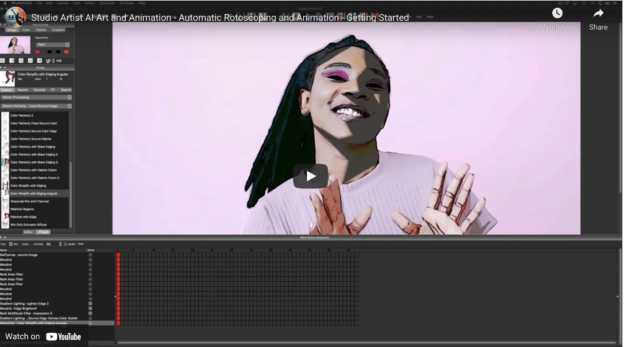
  How to Output a Movie with a Paint Action Sequence (PASeq) This video tutorial will teach you everything you need to get started on outputting an animation or auto rotoscoped movie with Studio Artist See this POST for a Written Explanation     Loading your own Source Movie Using a PASeq Preset to effect…

Studio Artist 5.5

Galleries
Training Videos
Tips
Knowledge Base
User's Guide

Legal

Privacy Policy
Terms and Conditions
  • Support
    Get Support

Studio Artist 5.5

Features
What's New in 5.5

Training Videos

Training Videos

Help

Contact Support
Training Videos
Tips
Knowledge Base
User's Guide

Community

User's Forum
User's Galleries

Studio Artist AI

© Synthetik Software 1999-2026 • All rights reserved

Go to Top