
Paint Regionization

FineTuning Paint Regionization Effects The Studio Artist paint synthesizer is capable of creating an extremely wide range of different paint styles. This post is going to focus on discussing some editing techniques you can use to fine tune the appearance of Path Start Regionization painting effects.Path Start Regionization is an intelligent process where Studio Artist…

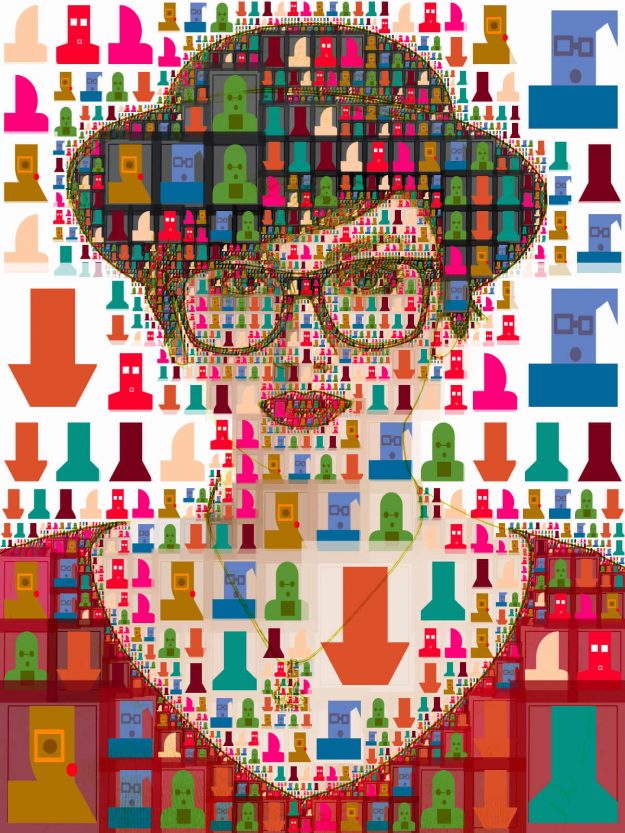
Photo Mosaics Using Your Own Images

Studio Artist Photo Mosaic Preset Studio Artist comes with a lot of Photo Mosaic Presets which you add your own images to.  You can also edit the presets as well.  Generally it’s good to start with a preset and then edit it. There are several Photo Mosaic Presets Categories in the Paint Synthesizer Mode in…

Simulating the MSG Evolver Art Mapper

MSG Evolver is a stand alone MSG editing and effects application that shipped with the Studio Artist 3.5 release. One particularly cool feature of Evolver is the Art Mapper, which can be used to generate photo mosaic effects and/or composite art images created from multiple applications of MSG presets. This tip will discuss some approaches to duplicating…

Paint Regionization

Typically the paint synthesizer auto-draws by generating a paint path and then painting it in. This process repeats individual path by path. However, you can configure the paint synthesizer to analyze the source image, construct a series of automatically generated regions, and then fill in each region with different kinds of paint patterns. In this…