
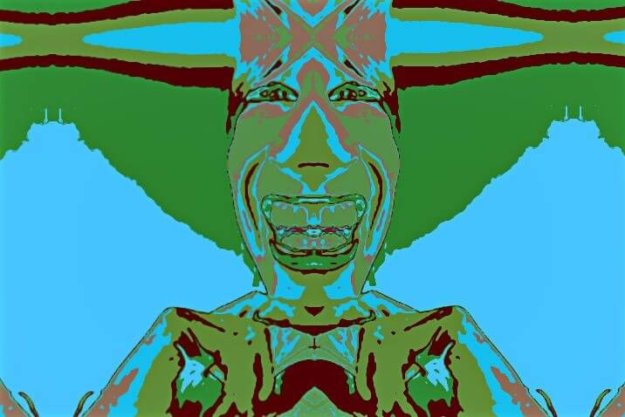
Using Add Mutation to Evolve New MSG Presets

  This post continues the discussion yesterday regarding directed evolution of MSG presets using the Evolution Editor. We’ll be taking a look at Add mutation in this post. The MSG preset effect above was created by using Add mutation in the Evolution Editor to evolve yesterday’s MSG preset into a new effect.
Swap Evolving New MSG Presets

  The following MSG preset example shown was created by using the Evolution Editor to evolve new MSG presets. I started with the MSG background preset used in the yesterdays post. Directed evolution is a powerful approach to building procedural art and new processing effects. You can work with directed evolution in the Evolution Editor…

Directed Evolution of MSG Presets

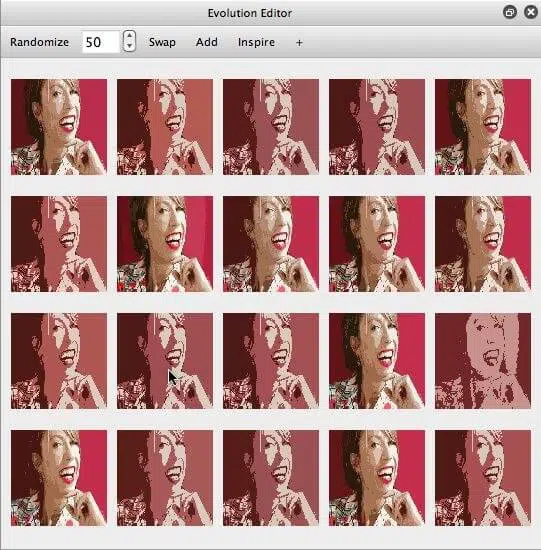
The Studio Artist MSG Evolution Editor (shown below) is a cool way to generate abstract art and wild image processing effects. MSG stands for modular synthesized graphics and is Studio Artist’s modular image processing architecture. You can manually fine tune and edit MSG presets using the MSG Advanced Editor, but getting the most out of the…

MSG Evolve Grid Commands

There are a number of different active link user commands you can access in the Help Browser that can be used to control directed evolution of MSG presets in the Evolution Editor palette. If you have previously used the MSG Evolver application to evolve MSG presets some of these will be familiar to you. When…

Evolving and Editing MSG Presets

Directed evolution is a powerful technique that can be used to create an infinite variety of new abstract procedural art images or image and video processing effects. The Evolution Editor palette shown above is where you can perform directed evolution of MSG presets. Each of the 16 small images in the Evolution Editor is a…