Skip to content
Login

My Account | Register

YouTube page opens in new window
Search:
Studio Artist AI
AI Art and Animation Generator – Every Style Imaginable
Studio Artist AI
  • Home
  • About
    • About Synthetik Software
  • Key Features
    • Features Overview
    • New 5.5 Features
  • Galleries
    • The Paint SynthesizerAuto – Assisted – Manual Painting and Drawing
    • Automatic Sketching and DrawingScribble – Headcuts – Crosshatch – Cartoon – Outline – Ink Brushes – Edging – Pencil
    • Automatic Photo Mosaics
    • Movie – Animation & Rotoscoping ExamplesHundreds of Examples of Factory Presets – Animation, Rotoscoping and Video Effects. All Presets included with Studio Artist 5.5
    • Animation Video Auto-Rotoscoping
    • Interactive Computer Generated AnimationsSelf-Animating Kaleidoscopic and Abstract Effects
    • The VectorizerInstant Photo to Vector Art
    • Instant Abstract Art and Interactive Spiro Art Generator
    • Vector PaintsComplex Rich Resolution Independent Vector Paints – Natural Media to Wild Styles
    • Image Effects Suite
    • Trippy Time Based EffectsSlit Scans for Video or Still Images
    • One-Click MSG Generative Art
    • Warp and AdjustInteractive Warping and Adjusting
  • Upgrade Information
  • Purchase
  • Support
    • Training Videos
      • All Studio Artist Training Videos
      • Getting Started Videos
    • Knowledge Base BlogSearch for answers and troubleshoot common issues
    • Tips and TricksGetting Started with Studio Artist
      • Deeper Dive
    • User’s Guide
    • Contact Support
  • Contact
    • Contact Us
  • Home
  • About
    • About Synthetik Software
  • Key Features
    • Features Overview
    • New 5.5 Features
  • Galleries
    • The Paint SynthesizerAuto – Assisted – Manual Painting and Drawing
    • Automatic Sketching and DrawingScribble – Headcuts – Crosshatch – Cartoon – Outline – Ink Brushes – Edging – Pencil
    • Automatic Photo Mosaics
    • Movie – Animation & Rotoscoping ExamplesHundreds of Examples of Factory Presets – Animation, Rotoscoping and Video Effects. All Presets included with Studio Artist 5.5
    • Animation Video Auto-Rotoscoping
    • Interactive Computer Generated AnimationsSelf-Animating Kaleidoscopic and Abstract Effects
    • The VectorizerInstant Photo to Vector Art
    • Instant Abstract Art and Interactive Spiro Art Generator
    • Vector PaintsComplex Rich Resolution Independent Vector Paints – Natural Media to Wild Styles
    • Image Effects Suite
    • Trippy Time Based EffectsSlit Scans for Video or Still Images
    • One-Click MSG Generative Art
    • Warp and AdjustInteractive Warping and Adjusting
  • Upgrade Information
  • Purchase
  • Support
    • Training Videos
      • All Studio Artist Training Videos
      • Getting Started Videos
    • Knowledge Base BlogSearch for answers and troubleshoot common issues
    • Tips and TricksGetting Started with Studio Artist
      • Deeper Dive
    • User’s Guide
    • Contact Support
  • Contact
    • Contact Us

Category Archives: Painting and Paint Synthesizer

You are here:
  1. Home
  2. Category "Painting and Paint Synthesizer"

Masked Movie Brush Photo Mosaic Effect

Mosaics, Painting and Paint SynthesizerBy sean06/01/2016

Today’s post will discuss how to create the movie brush photo mosaic effect shown above. The effect uses a movie brush with an embedded alpha channel that masks the objects in each individual movie frame. The effect is also using random paint nib positioning for the individual masked objects, as opposed to laying them down…
Building Morphing Effects Using Morph Contexts

Keyframing, Painting and Paint SynthesizerBy sean05/28/2016

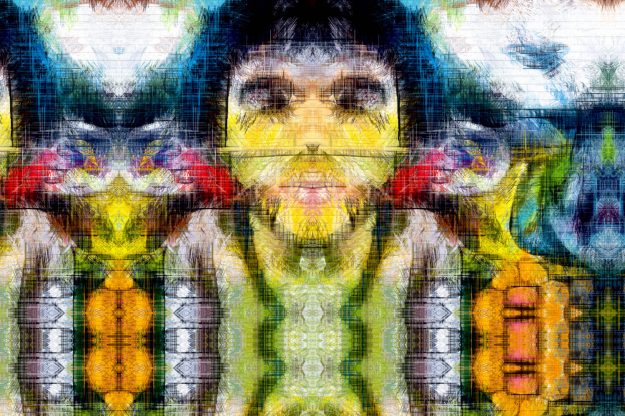
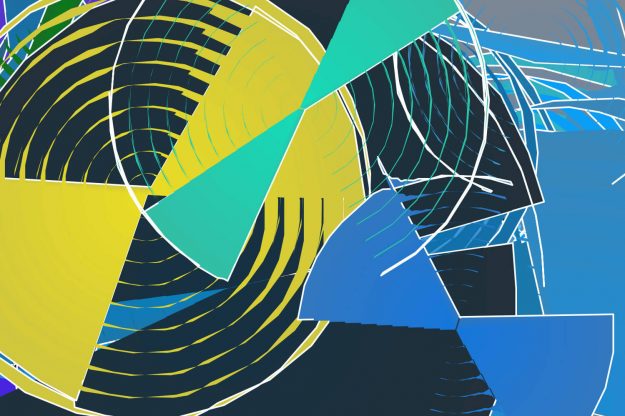
Bezier Context is a PASeq action step that can store multiple sets of bezier paths as keyframes, and generate bezier movement when interpolating between 2 different keyframes. Today we’ll discuss how to use a Morph Context to generate image morph effect. Studio Artist uses the positioning and movement of bezier paths over time to specify…

Dynamic Particle Sketch Animations Using DualMode Paint

Dual Mode Painting, Painting and Paint SynthesizerBy sean05/17/20161 Comment

This post discusses how to build a DualMode Paint preset that dynamically sketches a static source image with paint particles whose paint stroke trails fade out over time. The DualMode Paint preset is composed of a time particle based paint synthesizer preset along with the Fixed Color image operation for it’s Dual Op to fade…

Building Dynamic Paint Effects with Particle Pen Mode

Painting and Paint SynthesizerBy sean05/16/2016

 Today’s post will look at how to generate dynamic paint effects using the Particle Pen Mode in the paint synthesizer. You can use this kind of dynamic painting to very quickly build interesting abstract painted imagery with a tremendous amount of internal detail. Or you can use movie stream output to create dynamic paint animation…

Using Watershed Sketch to Drive the Paint Synthesizer

Bezier, Painting and Paint Synthesizer, Sketch EFXBy sean05/14/20161 Comment

Yesterday we used the Watershed Sketch image operation effect to build a stylized color sketch effect. Today we’ll continue where we left off with yesterday’s discussion, by using the Watershed Sketch effect to drive the paint synthesizer for painting in a more visually complex sketch effect (based on the same 2 Watershed Sketch presets we…

←1
23
…45678…
9101112131415161718192021
22→

Studio Artist 5.5

Training Videos
Tips
Knowledge Base
User's Guide

Legal

Privacy Policy
Terms and Conditions
  • Support
    Get Support

Studio Artist 5.5

Features
What's New in 5.5

Training Videos

Training Videos

Help

Contact Support
Training Videos
Tips
Knowledge Base
User's Guide

Studio Artist AI

© Synthetik Software 1999-2026 • All rights reserved

Go to Top