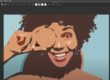
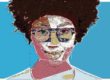
Today’s post will show off how to combine the Line Screen Regionize image operation with the Vectorizer to create a vector color line screen effect.
Please Note: There are a lot of linescreen presets in Studio Artist. Choose Search in the Preset Window in Studio Artist and serach for Linescreen.

The 3 step paint action sequence below was used to generate the color line screen effect shown above.
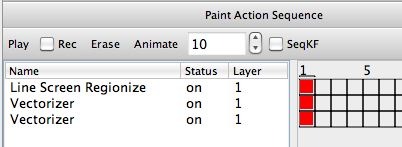
I was interested in generating vector output as opposed to generating a raster canvas and associated raster image file output. So I used the vectorizer’s Flat Input Technique to convert the flat color region canvas generated by the Line Screen Regionize ip op into a vector representation. Note that I processed the canvas layer with this vectorizer action step as opposed to the source image.
I then used a second vectorizer action step to add a small amount of edge definition by using the vectorizer Outline technique to provide a colored source edge defining overlay.